


Building Yocto Scarthgap BSP Distribution
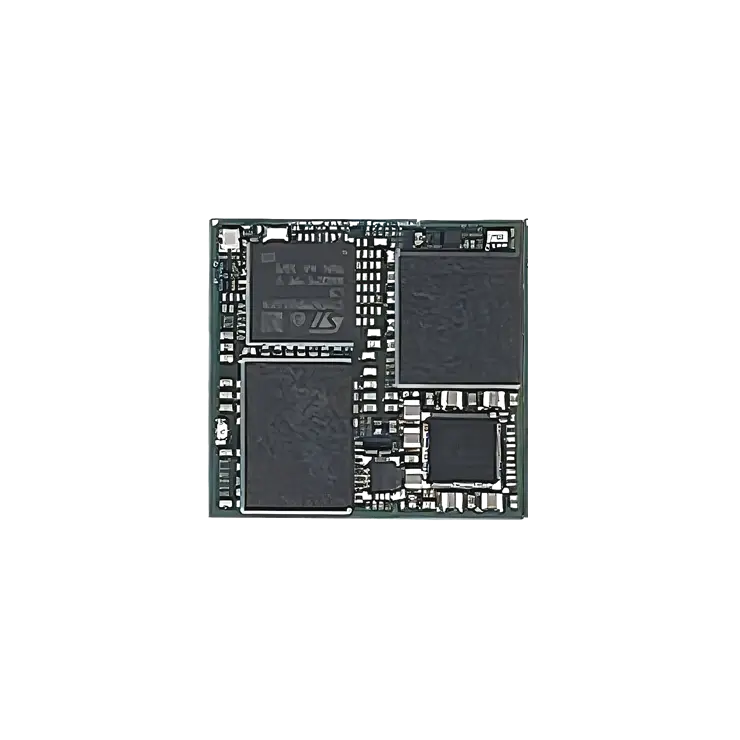
This document outlines the process used by Embedian to generate a customized build of STMicroelectronics’ official STM32MP25 OpenSTLinux Yocto Scarthgap BSP for the OSM-MP255-SF platform. The build workflow retrieves the required layers and metadata from Embedian’s GitHub repository and compiles the distribution using BitBake. This methodology is adopted to streamline parallel development and maintain alignment with upstream changes. The resulting build artifacts include bootable binary images, package feed repositories, and an SDK tailored for OSM-MP255-SF application and firmware development.
ST makes their STM32MP series official bsp build scripts available via the following GIT repository:
meta-st-openstlinux is a layer containing the framework metadata for current versions of OpenSTLinux.
meta-st-stm32mp BSP layer is a layer containing the STMicroelectronics bsp metadata for current versions of stm32mp.
STMicroelectronics Yocto layer providing additional recipes, configurations, and platform support for STM32MP devices.
Overview of the meta-embedian Yocto Layer
The supplied meta-embedian Yocto compliant layer has the following organization:
.
├── conf
│ ├── layer.conf
│ └── machine
│ ├── osmmp255-1g.conf
│ └── osmmp255.conf
├── COPYING.MIT
├── README
├── recipes-bsp
│ ├── tools
│ │ └── st-hostname
│ │ ├── st-hostname_%.bbappend
│ │ └── st-hostname.sh
│ ├── trusted-firmware-a
│ │ ├── tf-a-stm32mp
│ │ │ └── 0001-ARM-stm32mp2-add-Embedian-OSM-MP255-SF-support.patch
│ │ └── tf-a-stm32mp_2.10.bbappend
│ └── u-boot
│ ├── u-boot-stm32mp
│ │ └── 0001-board-stm32mp2-add-Embedian-OSM-MP255-SF-support.patch
│ └── u-boot-stm32mp_2023.10.bbappend
├── recipes-core
│ ├── base-files
│ │ ├── base-files
│ │ │ ├── issue
│ │ │ └── issue.net
│ │ └── base-files_%.bbappend
│ └── busybox
│ ├── busybox
│ │ └── ftpget.cfg
│ └── busybox_%.bbappend
├── recipes-devtools
│ └── sdcard-raw-tools
│ ├── sdcard-raw-tools
│ │ └── create_emmc_raw_from_flashlayout.sh
│ └── sdcard-raw-tools.bbappend
├── recipes-kernel
│ └── linux
│ ├── linux-stm32mp
│ │ ├── 6.6
│ │ │ └── 6.6.116
│ │ └── fragment-embedian-osm-mp255.config
│ └── linux-stm32mp_6.6.bbappend
└── recipes-security
└── optee
├── optee-os-stm32mp
│ └── 0001-plat-stm32mp2-add-Embedian-OSM-MP255-SF-support.patch
└── optee-os-stm32mp_4.0.0.bbappend
Notes on meta-embedian layer content
conf/machine/*
This folder provides machine configuration files defining hardware-specific settings for Embedian OSM-MP255-SF platforms, including different memory configurations.
recipes-bsp/tools/*
Provides customizations for system-level BSP tools and utilities used during system initialization.
recipes-bsp/u-boot/*
This folder provides Embedian-specific U-Boot customizations for the OSM-MP255-SF platform.
recipes-bsp/trusted-firmware-a/*
Provides Embedian-specific Trusted Firmware-A (TF-A) customizations and patches for the STM32MP255 platform.
recipes-core/base-files/*
Customizes basic system files and login/banner information for Embedian platforms.
recipes-core/busybox/*
Provides Embedian-specific BusyBox configuration and functionality.
recipes-devtools/sdcard-raw-tools/*
Provides tools for generating raw eMMC/SD card images from STM32MP flash layout files.
recipes-security/optee/*
Provides Embedian-specific OP-TEE OS customizations for the STM32MP255 platform.
recipes-kernel/linux/linux-stm32mp/*
Contains Linux kernel configuration fragments and version-specific patches for STM32MP platforms.
Setting Up the Tools and Build Environment
To build the latest ST STM32MP255C meta-bsp, you first need an Ubuntu 20.04 or 22.04 LTS installation. Since bitbake does not accept building images using root privileges, please do not login as a root user when performing the instructions in this section.
Once you have Ubuntu 20.04 or 22.04 LTS running, install the additional required support packages using the following console command:
$ sudo apt install gawk wget git diffstat unzip texinfo gcc build-essential chrpath socat cpio python3 python3-pip python3-pexpect xz-utils debianutils iputils-ping python3-git python3-jinja2 libegl1-mesa libsdl1.2-dev python3-subunit mesa-common-dev zstd liblz4-tool file libssl-dev pv device-tree-compiler locales bsdmainutils git-lfs pylint xterm -y
$ sudo locale-gen en_US.UTF-8
To get the BSP you need to have ‘repo’ installed and use it as:
Install the ‘repo’ utility:
$ mkdir ~/bin
$ curl https://storage.googleapis.com/git-repo-downloads/repo > ~/bin/repo
$ chmod a+x ~/bin/repo
$ export PATH=~/bin:$PATH
Download the BSP Yocto Project Environment.
$ mkdir ~/scarthgap-release
$ cd ~/scarthgap-release
$ repo init -u https://github.com/STMicroelectronics/oe-manifest.git -b refs/tags/openstlinux-6.6-yocto-scarthgap-mpu-v26.02.18
$ repo sync
Download the Embedian Yocto build script and meta layer.
$ cd layers
$ git clone https://github.com/embedian/meta-embedian.git -b osm-openstlinux-6.6-yocto-scarthgap-mpu-v26.02.18
$ cd ~/scarthgap-release
$ export META_LAYER_ROOT=layers
$ DISTRO=openstlinux-weston MACHINE=osmmp255 BSP_DEPENDENCY="layers/meta-embedian" source layers/meta-st/scripts/envsetup.sh
This script will create and bring you to ~/scarthgap-release/build-openstlinuxweston-osmmp255 directory.
Notes
The last line of the above script
$ DISTRO=openstlinux-weston MACHINE=<machine name> source layers/meta-st/scripts/envsetup.sh
2. <machine name>
– osmmp255 – if your board is dual core STM32MP255C and 2GB LPDDR4x.
– osmmp255-1g – if your board is dual core STM32MP255C and 1GB LPDDR4x.
In this document, we will use osmmp255 as the example of machine name. Users need to change different machine name like osmmp255-1g if your LPDDR4x configuration is 1GB.
Building the Target Platforms
To build Embedian/ST Yocto BSP, use the following commands:
$ MACHINE=osmmp255 bitbake -k st-image-weston
Notes
st-image-weston provides a gui image without QT6.
Building Images with QT
To build Embedian/ST Yocto BSP with QT developer packages, use the following instructions.
$ cd layers
$ git clone https://github.com/embedian/meta-embedian.git -b osm-openstlinux-6.6-yocto-scarthgap-mpu-v26.02.18
$ git clone -b v2.3.0 https://github.com/STMicroelectronics/meta-st-x-linux-qt.git layers/meta-st/meta-st-x-linux-qt
$ git clone -b 6.8.2 https://code.qt.io/yocto/meta-qt6.git layers/meta-qt6
$ cd ~/scarthgap-release
$ export META_LAYER_ROOT=layers
$ DISTRO=openstlinux-weston MACHINE=osmmp255 BSP_DEPENDENCY="layers/meta-qt6 layers/meta-st/meta-st-x-linux-qt layers/meta-embedian" source layers/meta-st/scripts/envsetup.sh
$ MACHINE=osmmp255 bitbake -k st-image-qt
Notes
1. Use machine osmmp255-1g if your memory configuration is 1GB LPDDR4x
2. st-image-qt provides a gui image with QT6.
Once it done, you can find all required images under ~/scarthgap-release/build-openstlinuxweston-<machine name>/tmp-glibc/deploy/images/<machine name>/
The file flashlayout_st-image-qt/optee/FlashLayout_sdcard_stm32mp255c-osm-optee.tsv is a OSM-MP255-SF SD-card flash layout configuration file used by the STM32MP25 OpenSTLinux / Yocto build system.
ID | Partition | Type | Device | Offset | Start Positiom | Size | Binary | Description | |
0x01 | fsbl-boot | Binary | none | 0x0 | — | — | arm-trusted-firmware/tf-a-stm32mp255c-osm-optee-programmer-usb.stm32 | USB Programmer boot firmware. TF-A/FSBL used to initialize the STM32MP255 and start the programming service from USB. | |
0x02 | fip-ddr | FIP | none | 0x0 | — | — | fip/fip-stm32mp255c-osm-ddr-optee-programmer-usb.bin | USB Programmer FIP used during DDR initialization. Contains the firmware components required by the programming environment. | |
0x03 | fip-boot | FIP | none | 0x0 | — | — | fip/fip-stm32mp255c-osm-optee-programmer-usb.bin | USB Programmer boot FIP. Used to boot the target into the STM32 programming environment. | |
0x04 | fsbla1 | Binary | mmc0 | 0x00004400 | 17 KiB | 256 KiB | arm-trusted-firmware/tf-a-stm32mp255c-osm-optee-sdcard.stm32 | Primary TF-A/FSBL stored in SD card. Responsible for early boot and hardware initialization. | |
0x05 | fsbla2 | Binary | mmc0 | 0x00044400 | 273 KiB | 256 KiB | arm-trusted-firmware/tf-a-stm32mp255c-osm-optee-sdcard.stm32 | Backup copy of TF-A/FSBL for boot redundancy and recovery. | |
0x06 | metadata1 | FWU_MDATA | mmc0 | 0x00084400 | 529 KiB | 256 KiB | arm-trusted-firmware/metadata.bin | Primary Firmware Update (FWU) metadata. Stores firmware update state and boot-slot information. | |
0x07 | metadata2 | FWU_MDATA | mmc0 | 0x000C4400 | 785 KiB | 256 KiB | arm-trusted-firmware/metadata.bin | Backup FWU metadata used for redundancy and reliable firmware update management. | |
0x08 | fip-a | FIP | mmc0 | 0x00104400 | 1.02 MiB | 4 MiB | fip/fip-stm32mp255c-osm-optee-sdcard.bin | Primary firmware slot (A). FIP normally contains TF-A/BL31, OP-TEE/BL32 and U-Boot/BL33. | |
0x09 | fip-b | FIP | mmc0 | 0x00504400 | 5.02 MiB | 4 MiB | none | Backup firmware slot (B), reserved for FWU/A-B firmware updates and rollback. | |
0x0A | u-boot-env | ENV | mmc0 | 0x00904400 | 9.02 MiB | 512 KiB | none | U-Boot environment storage. Contains boot commands, boot configuration and runtime environment variables. | |
0x10 | bootfs | System | mmc0 | 0x00984400 | 9.52 MiB | 64 MiB | st-image-qt-openstlinux-weston-osmmp255.splitted-bootfs.ext4 | Linux boot filesystem containing the kernel, device trees and other boot-related files. | |
0x11 | vendorfs | FileSystem | mmc0 | 0x04984400 | 73.52 MiB | 250 MiB | st-image-qt-openstlinux-weston-osmmp255.splitted-vendorfs.ext4 | Vendor-specific filesystem containing ST/board-specific software and configuration files. | |
0x12 | rootfs | FileSystem | mmc0 | 0x14384400 | 323.52 MiB | 4 GiB | st-image-qt-openstlinux-weston-osmmp255.splitted-rootfs.ext4 | Main Linux root filesystem (/) containing the operating system, libraries, applications and system configuration. | |
0x13 | userfs | FileSystem | mmc0 | 0x114384400 | 4.315 GiB | Remaining | st-image-qt-openstlinux-weston-osmmp255.splitted-userfs.ext4 | User data filesystem for application data, persistent configuration, logs and customer-specific data. |
The file flashlayout_st-image-qt/optee/FlashLayout_emmc_stm32mp255c-osm-optee.tsv is a OSM-MP255-SF eMMC flash layout configuration file used by the STM32MP25 OpenSTLinux / Yocto build system.
ID | Partition | Type | Device | Offset | Start Positiom | Size | Binary | Description | |
0x01 | fsbl-boot | Binary | none | 0x0 | — | — | arm-trusted-firmware/tf-a-stm32mp255c-osm-optee-programmer-usb.stm32 | USB Programmer boot firmware. TF-A/FSBL used to initialize the STM32MP255 and start the programming service from USB. | |
0x02 | fip-ddr | FIP | none | 0x0 | — | — | fip/fip-stm32mp255c-osm-ddr-optee-programmer-usb.bin | USB Programmer FIP used during DDR initialization. Contains the firmware components required by the programming environment. | |
0x03 | fip-boot | FIP | none | 0x0 | — | — | fip/fip-stm32mp255c-osm-optee-programmer-usb.bin | USB Programmer boot FIP. Used to boot the target into the STM32 programming environment. | |
0x04 | fsbla1 | Binary | mmc1 | boot1 | eMMC Boot1 | – | arm-trusted-firmware/tf-a-stm32mp255c-osm-optee-sdcard.stm32 | Primary TF-A/FSBL stored in eMMC. Responsible for early boot and hardware initialization. | |
0x05 | fsbla2 | Binary | mmc1 | boot2 | eMMC Boot2 | – | arm-trusted-firmware/tf-a-stm32mp255c-osm-optee-sdcard.stm32 | Backup copy of TF-A/FSBL for boot redundancy and recovery. | |
0x06 | metadata1 | FWU_MDATA | mmc1 | 0x00080000 | 512 KiB | 512 KiB | arm-trusted-firmware/metadata.bin | Primary Firmware Update (FWU) metadata. Stores firmware update state and boot-slot information. | |
0x07 | metadata2 | FWU_MDATA | mmc1 | 0x00100000 | 1 MiB | 512 KiB | arm-trusted-firmware/metadata.bin | Backup FWU metadata used for redundancy and reliable firmware update management. | |
0x08 | fip-a | FIP | mmc1 | 0x00180000 | 1.5 MiB | 4 MiB | fip/fip-stm32mp255c-osm-optee-sdcard.bin | Primary firmware slot (A). FIP normally contains TF-A/BL31, OP-TEE/BL32 and U-Boot/BL33. | |
0x09 | fip-b | FIP | mmc1 | 0x00580000 | 5.5 MiB | 4 MiB | none | Backup firmware slot (B), reserved for FWU/A-B firmware updates and rollback. | |
0x0A | u-boot-env | ENV | mmc1 | 0x00980000 | 9.5 MiB | 512 KiB | none | U-Boot environment storage. Contains boot commands, boot configuration and runtime environment variables. | |
0x10 | bootfs | System | mmc1 | 0x00A00000 | 10 MiB | 64 MiB | st-image-qt-openstlinux-weston-osmmp255.splitted-bootfs.ext4 | Linux boot filesystem containing the kernel, device trees and other boot-related files. | |
0x11 | vendorfs | FileSystem | mmc1 | 0x04A00000 | 74 MiB | 256 MiB | st-image-qt-openstlinux-weston-osmmp255.splitted-vendorfs.ext4 | Vendor-specific filesystem containing ST/board-specific software and configuration files. | |
0x12 | rootfs | FileSystem | mmc1 | 0x14400000 | 324 MiB | 3 GiB | st-image-qt-openstlinux-weston-osmmp255.splitted-rootfs.ext4 | Main Linux root filesystem (/) containing the operating system, libraries, applications and system configuration. | |
0x13 | userfs | FileSystem | mmc1 | 0xD4400000 | 3396 MiB | Remaining | st-image-qt-openstlinux-weston-osmmp255.splitted-userfs.ext4 | User data filesystem for application data, persistent configuration, logs and customer-specific data. |
deploy/images/<machine name>/kernel/Image
The kernel Image for OSM-MP255-SF.
deploy/images/<machine name>/kernel/<device tree file>
All available DTB files are listed in the table below.
DTB FILENAME | DESCRIPTION | |
stm32mp255c-osm.dtb | Device tree blob for 2GB LPDDR4x configuration | |
stm32mp255c-osm-1g.dtb | Device tree blob for 1GB LPDDR4x configuration |
deploy/deb/*
This folder contains all the packages used to construct the root file system images. They are in deb format (similar format to Debian packages) and can be dynamically installed on the target platform via an apt-get install command.
deploy/licenses/*
A database of all licenses used in all packages built for the system.
Setup SD Card Automatically
This section explains how to automatically set up a bootable SD card.
First, we need to generate a raw image file for the SD card.
$ cd ~/scarthgap-release/build-openstlinuxweston-<machine name>/tmp-glibc/deploy/images/<machine name>/
$ ./scripts/create_sdcard_from_flashlayout.sh flashlayout_st-image-qt/optee/FlashLayout_sdcard_stm32mp255c-osm-optee.tsv
This will generate a file named FlashLayout_sdcard_stm32mp255c-osm-optee.raw, which is a bootable SD card image. Insert a microSD card into your host PC and run,
$ sudo dd if=/dev/zero of=/dev/sdX bs=1M cont=160
$ sudo dd if=FlashLayout_sdcard_stm32mp255c-osm-optee.raw of=/dev/sdX bs=8M conv=fdatasync status=progress
Set the boot switches to boot from the SD card (SW1 = 0111 on the pITX-OSM-MP255). The module will then boot from the SD card.
During the first boot, the system will automatically resize the partition to use the available storage space. This process may take a little longer than subsequent boots.
Note
The first boot may take a little longer because the partition needs to be resized.
A bootable SD card can also be prepared using STM32CubeProgrammer, a tool provided by STMicroelectronics and available for download from the ST website.
Users can refer to the relevant ST documentation for detailed instructions. Before programming the SD card, the board must be set to Serial Download Mode (SW1 = 1011 on the pITX-OSM-MP255).
The required files generated from the Yocto build images must then be copied or programmed to the SD card using STM32CubeProgrammer.
Install additional Packages
STM32MP25 OpenSTLinux provides the standard Debian APT package management mechanism, allowing users to update package indexes and install software packages using apt or apt-get.
For example:
$ apt-get update
$ apt-get install
The package repository configured by default is:
/etc/apt/sources.list.d/packages.openstlinux.st.com.list
with the following configuration:
deb http://packages.openstlinux.st.com/6.2 scarthgap main updates untested
This repository is not an official Debian repository. It is an STMicroelectronics-maintained package repository for the OpenSTLinux distribution.
Therefore, although apt/apt-get is used as the package management tool, the packages provided through this repository are maintained and published by STMicroelectronics and are intended for the STM32MP2/OpenSTLinux software environment.
Updating Package Information
To retrieve the latest package information from the configured ST repository:
$ apt-get update
Installing a Package
To install a package:
$ apt-get install
The availability and version of a package depend on the packages provided by the configured OpenSTLinux repository.
Note
The use of apt does not imply that the system is using Debian’s official package repository. The default repository shown above is hosted and maintained by STMicroelectronics.
Writing Bitbake Recipes
In order to package your application and include it in the root filesystem image, you must write a BitBake recipe for it.
When starting from scratch, it is easiest to learn by example from existing recipes.
Example HelloWorld recipe using autotools
For software that uses autotools (./configure; make; make install), writing recipes can be very simple:
DESCRIPTION = « Hello World Recipe using autotools »
HOMEPAGE = « http://www.embedian.com/ »
SECTION = « console/utils »
PRIORITY = « optional »
LICENSE = « GPL »
PR = « r0 »
SRC_URI = « git://github.com/embedian/helloworld-autotools.git;protocol=https »
S = « ${WORKDIR}/git »
inherit autotools
SRC_URI specifies the location to download the source from. It can take the form of any standard URL using http://, ftp://, etc. It can also fetch from SCM systems, such as git in the example above.
PR is the package revision variable. Any time a recipe is updated that should require the package to be rebuilt, this variable should be incremented.
inherit autotools brings in support for the package to be built using autotools, and thus no other instructions on how to compile and install the software are needed unless something needs to be customized.
S is the source directory variable. This specifies where the source code will exist after it is fetched from SRC_URI and unpacked. The default value is ${WORKDIR}/${PN}-${PV}, where PN is the package name and PV is the package version. Both PN and PV are set by default using the filename of the recipe, where the filename has the format PN_PV.bb.
Example HelloWorld recipe using a single source file
This example shows a simple case of building a helloworld.c file directly using the default compiler (gcc). Since it isn’t using autotools or make, we have to tell BitBake how to build it explicitly.
DESCRIPTION = « HelloWorld »
SECTION = « examples »
LICENSE = « GPL »
SRC_URI = « file://helloworld.c »
S = « ${WORKDIR} »
do_compile() {
${CC} ${CFLAGS} ${LDFLAGS} helloworld.c -o helloworld
}
do_install() {
install -d ${D}${bindir}
install -m 0755 helloworld ${D}${bindir}
}
In this case, SRC_URI specifies a file that must exist locally with the recipe. Since there is no code to download and unpack, we set S to WORKDIR since that is where helloworld.c will be copied to before it is built.
WORKDIR is located at ${OETREE}/<build directory>/tmp/work/armv8a-poky-linux/<package name and version> for most packages. If the package is machine-specific (rather than generic for the armv8a architecture), it may be located in the smarcimx932g-poky-linux subdirectory depending on your hardware (this applies to kernel packages, images, etc).
do_compile defines how to compile the source. In this case, we just call gcc directly. If it isn’t defined, do_compile runs make in the source directory by default.
do_install defines how to install the application. This example runs install to create a bin directory where the application will be copied to and then copies the application there with permissions set to 755.
D is the destination directory where the application is installed to before it is packaged.
${bindir} is the directory where most binary applications are installed, typically /usr/bin.
For a more in-depth explanation of BitBake recipes, syntax, and variables, see the Recipe Chapter of the OpenEmbedded User Manual.
Setup eMMC
The eMMC setup is almost the same as the SD card setup. First, create an eMMC raw image and copy it to the SD card. Then, boot the device from the SD card and use dd to write the image to the eMMC.
Create an eMMC raw image
$ cd ~/scarthgap-release/build-openstlinuxweston-<machine name>/tmp-glibc/deploy/images/<machine name>/
$ ./scripts/create_emmc_raw_from_flashlayout.sh flashlayout_st-image-qt/optee/FlashLayout_emmc_stm32mp255c-osm-optee.tsv
A file FlashLayout_emmc_stm32mp255c-osm-optee.raw will be generated.
Copy this file and arm-trusted-firmware/tf-a-stm32mp255c-osm-optee-sdcard.stm32 to the rootfs partition of the bootable SD card created above. Unlike the SD card setup, the FlashLayout_emmc_stm32mp file needs to be written to both the eMMC Boot0 and Boot1 partitions.
Copy files to rootfs partition of SD card in your Host PC
$ sudo mount /dev/sdX10 /mnt
$ sudo cp -v arm-trusted-firmware/tf-a-stm32mp255c-osm-optee-emmc.stm32 /mnt/home/root/
$ sudo cp -v FlashLayout_emmc_stm32mp255c-osm-optee.raw /mnt/home/root/
$ sudo umount /mnt
Insert the SD card into the device and boot the device from the SD card. By default, the Linux kernel mounts eMMC hardware boot partitions as read-only for security. You can temporarily disable this restriction by modifying the kernel parameters:
Device Console
$ echo 0 >/sys/block/mmcblk1boot0/force_ro
$ sudo dd if=tf-a-stm32mp255c-osm-optee-emmc.stm32 of=/dev/mmcblk1boot0 bs=4k conv=fdatasync
$ echo 1 >/sys/block/mmcblk1boot0/force_ro
Device Console
$ echo 0 >/sys/block/mmcblk1boot1/force_ro
$ sudo dd if=tf-a-stm32mp255c-osm-optee-emmc.stm32 of=/dev/mmcblk1boot1 bs=4k conv=fdatasync
$ echo 1 >/sys/block/mmcblk1boot1/force_ro
Write eMMC raw image into eMMC.
Device Console
$ sudo dd if=FlashLayout_emmc_stm32mp255c-osm-optee.raw of=/dev/mmcblk1 bs=8M conv=fdatasync status=progress
$ sync
$ shutdown now -h
Set the boot switches to boot from the eMMC card (SW1 = 0000 on the pITX-OSM-MP255). The module will then boot from the eMMC flash.
Note
The rootfs partiton is located in /dev/sdX10
The eMMC setup can also be performed using STM32CubeProgrammer, a tool provided by STMicroelectronics and available for download from the ST website.
Users can refer to the relevant ST documentation for detailed instructions. Before programming the eMMC, the board must be set to Serial Download Mode (SW1 = 1000 on the pITX-OSM-MP255).
The required files generated from the Yocto build images must then be copied or programmed to the eMMC flash using STM32CubeProgrammer.
version 1.0a, 10/08/2026
Last updated 2026-10-08